Introduction
Google’s Pixel strategy has been a study in finding footing. The Pixel 6 introduced Tensor, but Android 12’s bugs and the phone’s modem issues tarnished the launch. The Pixel 7 needed to prove that Google could execute — that Tensor wasn’t a one-generation experiment, that Material You could mature, that Android could be stable and ambitious simultaneously.
Android 13 was officially released on August 15, 2022.
Android 13 was a refinement release in the tradition of Marshmallow and Android 10 — no radical redesign, no paradigm-shifting new feature, just comprehensive polish of what Android 12 introduced. Material You got extended color theming, per-app language preferences, a more granular photo picker, and the foundation for Bluetooth LE Audio. It launched on the Pixel 7 and Pixel 7 Pro, which fixed the Pixel 6’s modem issues and solidified Google’s position as a serious hardware player.
If Android 12 was the big swing, Android 13 was the follow-through.
Quick Facts
| Item | Value |
|---|---|
| Version | Android 13 |
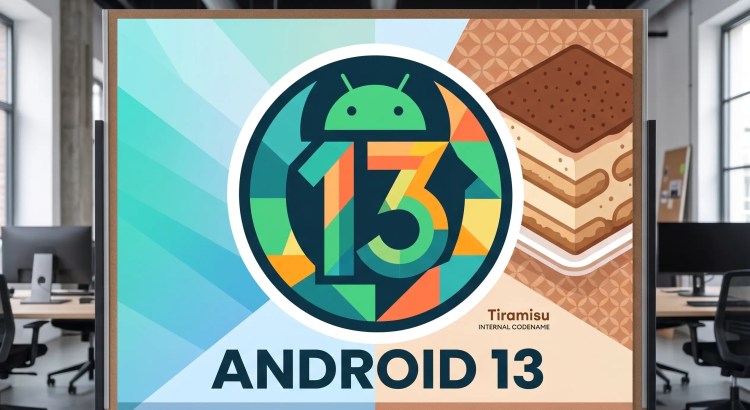
| Codename | (none publicly; internally “Tiramisu”) |
| API Level | 33 |
| Release Date | August 15, 2022 |
| Linux Kernel | 5.15+ |
| Initial Device | Google Pixel 7 / Pixel 7 Pro |
| Previous Version | Android 12 / 12L |
| Next Version | Android 14 |
What’s New
Material You Extended
Android 13 extended Material You’s dynamic color theming to more system surfaces and — critically — to third-party app icons. Apps that adopted the ThemedIcon API could tint their launcher icons to match the system color palette. The result was a home screen where every icon shared the same tonal family, not just the Quick Settings tiles.
Google also added more color variants to the wallpaper-based palette system. Android 12 offered 4 color options per wallpaper; Android 13 offered up to 16, including muted, vibrant, and complementary schemes.
Third-party app developers were slower to adopt themed icons than Google hoped. By late 2023, most major Google apps supported them, but non-Google apps were hit-or-miss. The feature was opt-in, and many developers simply didn’t opt in.
Per-App Language Preferences
Android 13 let users set a different language for each app, independently of the system language. WhatsApp in Spanish, Google Maps in English, Gmail in French — on the same device, simultaneously.
This was essential for multilingual users and immigrants who wanted specific apps in their native language while using the system language for everything else. iOS gained the same feature with iOS 16 (launched a month later, coincidentally or not).
Photo Picker
Android 13 introduced a system-level photo picker: a standardized UI that apps could invoke when requesting photo or video access. Instead of granting full media library access, the user selected specific photos or videos through the picker, and only those items were shared with the app.
This was a privacy improvement over the “all or nothing” media permission model. Apps that only needed a profile picture or a single attachment no longer needed access to the entire camera roll.
The photo picker was backward-compatible through Google Play Services for devices running Android 4.4+ (KitKat and newer), making it one of the most widely-adopted privacy features Google has ever shipped.
Notification Permission
Apps targeting Android 13 had to explicitly request permission to send notifications — just like camera, microphone, and location. Users could deny notification access at install time, preventing notification spam before it started.
This was a long-overdue reversal of Android’s default-allow notification model. Before Android 13, apps could send notifications by default; users had to opt out per-app. After Android 13, notification access was opt-in. The days of installing an app and being immediately bombarded with promotional notifications ended here.
Bluetooth LE Audio
Android 13 added support for Bluetooth LE Audio and the LC3 codec — a more efficient audio codec that delivered better quality at lower bitrates than the legacy SBC codec. LE Audio also enabled Auracast broadcast audio, letting a single device stream to multiple Bluetooth hearing aids, earbuds, or speakers simultaneously.
LE Audio was a hardware standard that would take years to become ubiquitous, but Android 13 laid the software foundation.
User Interface Changes
- Expanded themed icons: Material You color applied to launcher icons (for supported apps).
- More color palettes: Up to 16 wallpaper-based color schemes.
- Media player redesign: The lockscreen media player showed full album art with dancing squiggly progress bar.
- QR code scanner: A native QR code scanner in the Quick Settings tiles — no Google Lens required.
- Active apps indicator: A persistent notification or status bar indicator showing which apps were actively running in the background (similar to Android 12’s camera/mic indicators).
- Spatial audio: Head-tracking spatial audio on supported devices (Pixel Buds Pro, initially).
Performance Improvements
- ART improvements: ART’s garbage collector was optimized further, reducing GC-related jank on mid-range devices.
- Background task optimization: The JobScheduler and WorkManager were refined to further reduce background CPU wake-ups.
- Battery utilization: Google claimed 5–10% battery life improvement on Pixel devices through combined system optimizations.
Security Improvements
- Notification permission: Opt-in notification access eliminated notification spam at install.
- Photo Picker: Granular photo/video access replaced all-or-nothing media permissions.
- Clipboard auto-clear: The system clipboard automatically cleared sensitive data (passwords, credit card numbers) after a short timeout to prevent cross-app data leakage.
- Wi-Fi permission decoupled from location: Apps could scan for Wi-Fi networks without requesting location permission (a long-standing privacy pain point).
- Downgradable permissions: Users could revoke previously-granted permissions without reinstalling the app.
Developer Features
| API | Description |
|---|---|
ThemedIcon API | Adaptive monochromatic launcher icons |
PhotoPicker API | System-level photo/video selection |
Notification.permission | Runtime notification permission |
| Per-app language | LocaleManager for per-app language preferences |
BluetoothLeAudio | LE Audio + LC3 codec support |
| Programmatic app installation | APIs for alternative app stores |
SpatialAudio | Head-tracking spatial audio |
| Clipboard read notifications | Clipboard access alerts |
The alternative app store API was forced by the EU’s Digital Markets Act and regulatory pressure — Google was compelled to make sideloading and third-party app stores easier to use.
Devices That Shipped With Android 13
- Pixel 7 & Pixel 7 Pro — Google’s second Tensor phone. 6.3/6.7-inch 90/120Hz OLED, Tensor G2, 8/12 GB RAM, 50 MP main + 12 MP ultrawide (+ 48 MP 5× telephoto on Pro), $599/$899.
- Samsung Galaxy S23 / S23+ / S23 Ultra — Launched with 13 and One UI 5.1. 6.1/6.6/6.8-inch 120Hz Dynamic AMOLED, Snapdragon 8 Gen 2 for Galaxy (all regions, no Exynos), 8/12 GB RAM, 200 MP camera (Ultra).
- OnePlus 11 — Launched with 13 and OxygenOS 13. 6.7-inch 120Hz AMOLED, Snapdragon 8 Gen 2, 8/16 GB RAM.
Comparison With Android 12
| Android 12 | Android 13 |
|---|---|
| Material You (basic) | Material You extended |
| 4 color palettes | Up to 16 color palettes |
| No themed icons | Themed icon support |
| Notifications allowed by default | Notification permission opt-in |
| Full media access or none | Photo Picker granular access |
| Per-device system language | Per-app language preferences |
| No Bluetooth LE Audio | LE Audio + LC3 codec support |
| API Level 31–32 | API Level 33 |
Android 13 was the polish release for Material You. Everything Android 12 introduced — dynamic color, oversized UI, privacy dashboard — was refined. The bugs were fixed. The rough edges were sanded. Android 13 felt like what Android 12 should have been at launch.
Legacy and Impact
The notification permission opt-in was the most significant platform change in Android 13. It fundamentally changed the app-user relationship: notification access was now a privilege to be earned, not a default to be tolerated. App developers had to explain why users should allow notifications, and spammy apps lost their primary engagement channel. This was a pro-consumer change that cost Google nothing in platform capability and gained enormous goodwill.
Per-app language preferences were a genuinely useful feature for the world’s billions of multilingual speakers. It addressed a real pain point — switching the entire phone to a different language just to use one app in its native language — with a simple, well-implemented solution.
The Photo Picker’s backward-compatibility (back to Android 4.4 KitKat, via Play Services) was also notable. Google could have easily restricted it to Android 13+, but chose to backport the privacy benefit to nearly a billion legacy devices. That was the right call.
End of Support
- Pixel 7: Guaranteed 5 years of updates (through October 2027).
- Play Services: Fully supported.
Fun Facts
- Internal codename: Android 13 was internally “Tiramisu” (T). The name appeared in AOSP commits and was even briefly visible in a Google developer video before being blurred out. The public name was “Android 13.”
- Easter egg: The Android 13 easter egg was a screen showing emoji floating upward like balloons. Tapping emoji caused them to burst. The background changed colors based on your Material You palette, and long-pressing the emoji opened an emoji-based paint tool.
- Pixel 7 design: The Pixel 7’s camera bar transitioned from glass (Pixel 6) to recycled aluminum, and the design was widely praised as distinctive and premium. The “visor” camera bar became the Pixel line’s visual signature.
- Tensor G2 modem: The Pixel 6’s Exynos 5123 modem was widely criticized for poor signal and battery drain. The Tensor G2 used an Exynos 5300 modem that fixed most of these issues. It wasn’t the best modem on the market (Qualcomm’s X70 was better), but it was no longer a dealbreaker.
Frequently Asked Questions
What API level is Android 13?
API Level 33.
Do themed icons work with all apps?
No. App developers must opt in by implementing the ThemedIcon API. Most Google apps support themed icons, but third-party adoption is inconsistent.
How does the notification permission work?
Apps targeting Android 13 must request permission to send notifications. A system dialog appears the first time the app tries to post a notification. Users can allow or deny. Pre-13 apps (targeting API 32 or lower) are auto-granted notification permission on upgrade.
What is the Photo Picker?
The Photo Picker is a system-level UI that lets users select specific photos and videos to share with an app, rather than granting access to the entire media library. It’s backward-compatible to Android 4.4 via Play Services.
Final Thoughts
Android 13 was the version that made Android 12’s ambitions sustainable. Material You expanded from a cool demo to a functional design system that third-party apps could meaningfully adopt. The notification permission ended the era of default notification spam. Per-app language was a feature that millions of users silently relied on daily.
It wasn’t exciting. No one bought a Pixel 7 for Android 13’s notification permission or Photo Picker. But the Pixel 7 sold well — better than any Pixel before it — because Android 13 was stable, polished, and trustworthy in a way that Android 12 wasn’t. Google’s hardware story finally had software that matched.
Sometimes the best version is the one that just works. Android 13 worked.
Related Articles
- Android Version History (2008–Present)
- Android 12: Complete Guide
- Android 14: Complete Guide
- Material You: The Second Year
- Pixel 7 & Tensor G2: Google’s Hardware Momentum
- Notification Permissions: How Android Killed Spam
References
- Official Android 13 Platform Highlights
- Android Developers Blog: “Android 13” (August 2022)
- Material You expansion documentation
- Photo Picker backward-compatibility technical documentation
- Bluetooth LE Audio specification
- Google Pixel 7 / Pixel 7 Pro product documentation