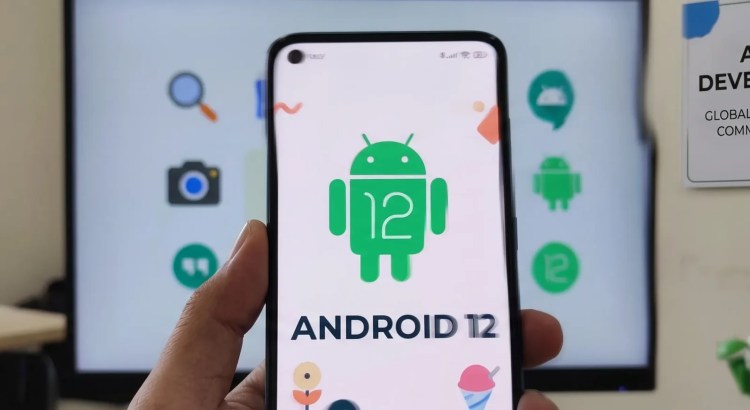
Introduction
The Galaxy S21 Ultra costs $1,199. The iPhone 13 Pro Max costs $1,099. The Pixel 6 Pro running Android 12 costs $899, and its software is more interesting than either of them. Material You — Android’s first genuinely personal design language — doesn’t care about your phone’s price. It pulls colors from your wallpaper and paints the entire OS in your palette. No two Android 12 phones look the same, and that’s a bigger deal than any spec sheet suggests.
Android 12 was officially released on October 4, 2021, with 12L following on March 7, 2022.
Android 12 was Android’s biggest visual overhaul since Material Design in Lollipop (2014). Material You introduced dynamic color theming, oversized buttons, smoother animations, and a design philosophy based on personalization rather than consistency. It launched on the Pixel 6 and Pixel 6 Pro — Google’s first phones with a custom Tensor chip, finally bringing Apple-level hardware-software integration to Android. Android 12L then optimized the OS for large screens, tablets, and foldables — addressing a neglect that dated back to Honeycomb.
Android 12 was ambitious, colorful, and divisive. Some called it the best-looking Android ever. Others called it Fisher-Price. Both were right.
Quick Facts
| Item | Value |
|---|---|
| Version | Android 12 – 12L |
| Codename | (none publicly; internally “Snow Cone”) |
| API Level | 31 (12), 32 (12L) |
| Release Date | Oct 4, 2021 (12) / Mar 7, 2022 (12L) |
| Linux Kernel | 5.10+ |
| Initial Device | Google Pixel 6 / Pixel 6 Pro |
| Previous Version | Android 11 |
| Next Version | Android 13 |
What’s New
Material You (Dynamic Color)
Material You was Android 12’s defining feature. Instead of a fixed color scheme, Android extracted a color palette from the user’s wallpaper — five tonal palettes, each with 13 shades — and applied them across the entire OS. The lock screen clock, Quick Settings tiles, Settings icons, notification cards, and supported third-party apps all adapted to the wallpaper’s palette.
The technical implementation was Monet, a color extraction engine that ran on-device. Monet analyzed wallpaper pixels, identified dominant and accent colors, and generated a tonal palette using the HCT (Hue, Chroma, Tone) color space. The palette was consistent (all colors shared the same relative lightness) and accessible (contrast ratios met WCAG guidelines).
Material You extended beyond color. Buttons became larger with more padding. Sliders were thicker. The lock screen clock was massive (two lines, stacked, filling the screen when no notifications were present). The Quick Settings tiles became large, rounded rectangles instead of small circles. Quick Settings and notifications were combined into a single, scrollable panel.
Android had never looked like this. The oversized UI elements were designed for one-handed use on large phones. The dynamic color made every device feel personal. The softer, rounder shapes made Android feel friendlier. It was the most opinionated design Android had ever shipped, and opinions were sharply divided.
Privacy Dashboard
Android 12 introduced the Privacy Dashboard — a timeline view showing which apps accessed camera, microphone, and location in the past 24 hours. Each access was logged with a timestamp and duration. Tapping an access entry showed the app’s full permission history.
The dashboard was transparent and user-friendly. For the first time, users could see that Instagram had accessed their camera for 2 seconds at 3:14 PM, or that a weather app had pinged location 47 times in one day. This visibility drove behavior change: apps that over-requested permissions were exposed, and users could adjust permissions with full context.
Microphone and Camera Indicators
Android 12 added a green dot in the status bar whenever the camera or microphone was in use (similar to iOS 14’s indicators, launched a year earlier). Pulling down the notification shade showed which app was using the sensor, with a one-tap option to revoke access.
The indicators were a privacy transparency feature that cost Google nothing and gave users real-time awareness. Combined with the microphone and camera toggles in Quick Settings (which globally disabled those sensors), users had comprehensive control over sensor access.
Approximate Location
Android 12 let users grant “Approximate location” instead of “Precise location.” Weather apps, news apps, and shopping apps that only needed city-level accuracy could get it without accessing GPS-level precision. Navigation and ride-share apps could still request precise location.
This was the next evolution of location privacy, building on one-time permissions from Android 11. Apple had added approximate location in iOS 14; Android followed with a cleaner implementation that let users toggle between approximate and precise in the permission settings.
Widgets Overhaul
Widgets got a major redesign with Material You styling, dynamic coloring, and new interactive capabilities. The widget picker showed live previews. Widgets could respond to system theme changes. Google shipped new widgets for Clock, Weather, YouTube Music, Google Photos (People & Pets), and Drive.
Widgets had been neglected since the Cupcake era. Most Android widgets looked like they were designed in 2012, because they were. Material You widgets brought them visually into the modern era, though third-party adoption was slow.
Scrolling Screenshots
Android 12 added native scrolling screenshots: capture a screenshot, tap “Capture more,” and the system scrolled the current screen and stitched a long screenshot. No third-party app required, no stitching artifacts. It worked in any app that used standard Android scrolling views.
This had been a top user request for years. Samsung and other OEMs had implemented it in custom skins; Android 12 brought it to all devices.
Performance Class
Android 12 introduced a Performance Class compatibility definition that set minimum hardware requirements for premium experiences. Devices that met the requirements were certified as “Performance Class 12” and could offer features that lower-tier devices couldn’t.
User Interface Changes
Everything changed. The full scope:
- Lock screen: Massive two-line clock (collapses to single line with notifications), dynamic color overlay on wallpaper, new PIN entry animation
- Quick Settings: Large rounded rectangle tiles (4 per row instead of 6 circles), combined with notifications in a single panel, new brightness slider at the top
- Notifications: Rounded corners, dynamic coloring, snooze functionality built into notification actions
- Settings: Redesigned with Material You — larger headers, softer icons, dynamic color
- Animations: Smoother transitions with stretch-overscroll effects, splash screens for all apps, automatic animation when launching apps from notification or widget
- Volume panel: Redesigned with thicker slider pill
- Power menu: Simplified — smart home controls moved to lock screen/Quick Settings
The stretch overscroll — where scrolling past the edge of content caused the entire page to stretch and rebound — was visually divisive. It was playful and distinctly Android, but some users found it disorienting.
Performance Improvements
- Core system performance: Google claimed 22% reduction in core system CPU usage, leading to improved battery life and faster responsiveness.
- Private Compute Core: On-device ML processing (Smart Reply, Live Caption, Now Playing) was isolated in a sandbox with no network access, reducing CPU overhead and improving privacy.
- Faster animations: The new animation system was more efficient, with better GPU utilization and 22% fewer dropped frames in testing.
On the Pixel 6’s Tensor chip (custom Google silicon with dual Cortex-X1, dual Cortex-A76, quad Cortex-A55), Android 12 was snappy but inconsistent. The Tensor chip ran warm under sustained load, and some animations stuttered on the Pixel 6 (non-Pro) due to memory pressure.
Security Improvements
- Privacy Dashboard: Timeline view of all camera, microphone, and location access.
- Camera/Mic indicators + toggles: Real-time awareness and global hardware kill switches.
- Approximate Location: Granular location privacy.
- Private Compute Core: ML processing sandboxed with no network access.
- Android 12L security: Large-screen-specific security enhancements for multi-user and work profiles.
Developer Features
| API | Description |
|---|---|
Material You / Material3 | Dynamic color, new widgets, stretch overscroll |
SplashScreen API | Standardized app launch animations |
| Performance Class | Device capability certification |
Camera2 extensions | Bokeh, HDR, Night mode APIs |
GameMode API | Game performance profiles |
RCS API (12L) | Rich Communication Services integration |
| Large-screen layouts (12L) | Two-column layouts, taskbar, improved letterboxing |
Android 12L’s large-screen APIs were critical for foldables and tablets. The taskbar — shown on large screens for quick app switching — was an iOS-style dock that appeared at the bottom of the screen. Two-column layouts in Settings, notifications, and the launcher made tablets feel like tablets rather than stretched phones.
Devices That Shipped With Android 12
- Pixel 6 & Pixel 6 Pro — Google’s Tensor debut. 6.4/6.7-inch 90/120Hz OLED, Tensor G1, 8/12 GB RAM, 50 MP main + 12 MP ultrawide (+ 48 MP 4× telephoto on Pro), $599/$899.
- Pixel 6a — 6.1-inch 60Hz OLED, Tensor G1, 6 GB RAM, $449.
- Samsung Galaxy S22 / S22+ / S22 Ultra — Launched with 12 and One UI 4.1. 6.1/6.6/6.8-inch 120Hz Dynamic AMOLED, Snapdragon 8 Gen 1 / Exynos 2200, 8/12 GB RAM, 108 MP camera (Ultra), integrated S Pen (Ultra).
- Samsung Galaxy Z Fold 4 — Launched with 12L.
Comparison With Android 11
| Android 11 | Android 12 / 12L |
|---|---|
| Fixed color scheme | Dynamic Material You color |
| Small circle Quick Settings | Large rectangle Quick Settings tiles |
| Standard lock screen clock | Massive Material You lock screen |
| Basic privacy settings | Privacy Dashboard + indicators + toggles |
| Precise location only | Approximate + Precise location |
| Basic widgets | Material You widgets with previews |
| 4-column Settings | Redesigned Settings with Material You |
| API Level 30 | API Levels 31–32 |
Android 12 was a visual revolution. Material You was the biggest design change since Material Design 1.0, and unlike Holo → Material (which mandated a single look), Material You’s dynamic color made every phone genuinely unique. It was personal, playful, and distinctly Android.
Legacy and Impact
Material You’s dynamic color redefined what “personalization” means on smartphones. iOS offers a light mode and a dark mode. Material You offers millions of possible color combinations, each derived from the user’s wallpaper. In a market where smartphones are increasingly commoditized, personalization is a genuine differentiator.
The Privacy Dashboard and sensor indicators brought Android up to parity with iOS 14/15 on privacy transparency. For the first time, Android users could see exactly what apps were doing with their sensors, and they could stop it.
Android 12L was the most significant tablet-focused Android update since Honeycomb. It didn’t just make apps scale — it redesigned the system UI for large screens with a taskbar, two-column layouts, and improved multitasking. Combined with the Pixel Tablet (2023) and Samsung’s foldable push, 12L made Android on large screens viable again.
The Pixel 6’s Tensor chip marked Google’s Silicon debut, ending Android’s dependence entirely on Qualcomm and Samsung for processors. Tensor enabled features (Live Translate, Magic Eraser, Face Unblur) that Qualcomm’s off-the-shelf chips couldn’t support efficiently, giving Pixel phones a software differentiation they’d never had.
End of Support
- Play Services: Fully supported.
- Pixel 6/6 Pro: Guaranteed 5 years of security updates (through October 2026).
Fun Facts
- Internal codename: Android 12 was internally “Snow Cone” (SC). AOSP commits referenced SC throughout development.
- Easter egg: The Android 12 easter egg showed a clock widget with the time. Tapping it displayed an animation of colorful balls bouncing inside the clock. Moving the clock hands to 12:00 triggered a confetti animation and a Material You-themed splash, a callback to Android 12’s clock-centric redesign.
- Monet’s name: The dynamic color extraction engine was named after Claude Monet, the Impressionist painter known for capturing light and color differently depending on time and context — a metaphor for how Material You adapts to different wallpapers.
- Tensor’s Samsung origins: Google’s Tensor G1 was co-developed with Samsung’s S.LSI division and shared DNA with the Exynos 2100. It wasn’t a fully custom design, but Google’s TPU (Tensor Processing Unit) and ISP blocks were custom, and the chip’s heterogeneous architecture was Google-designed.
Frequently Asked Questions
What API level is Android 12?
API Level 31 (12), Level 32 (12L).
What is Material You?
Material You is Android 12’s dynamic design system that extracts a color palette from the user’s wallpaper and applies it system-wide. It also features larger UI elements, softer shapes, and more personalization than previous Material Design iterations.
What is Android 12L?
Android 12L is a large-screen-optimized version of Android 12 for tablets and foldables. It adds a taskbar, two-column layouts, and improved letterboxing for apps.
Does Material You work with third-party apps?
Yes. Apps using Material 3 (Material Components 1.5+) support dynamic color automatically. Adoption is still ongoing, but most Google apps and many popular third-party apps now support Material You theming.
Final Thoughts
Android 12 was the first Android version in years that felt exciting — not because of a feature list, but because of a design philosophy. Material You’s dynamic color was a genuine innovation in a space where mobile UI had stagnated into light mode/dark mode binaries. The Privacy Dashboard, sensor indicators, and approximate location made Android’s privacy model competitive with iOS for the first time.
It wasn’t perfect. The oversized Quick Settings tiles wasted space. The stretch overscroll was an acquired taste. Performance on the Pixel 6 was good but not great — Tensor’s first generation showed promise but ran hot and stuttered occasionally. Material You adoption among third-party developers was slow, meaning most apps didn’t match the system theme.
But Android 12 was bold. It took risks. It bet that personalization mattered more than consistency. And it gave Android owners something iPhone owners don’t have: a phone that looks like theirs, not everyone else’s.
Related Articles
- Android Version History (2008–Present)
- Android 11: Complete Guide
- Android 13: Complete Guide
- Material You: Design That’s Personal
- Pixel 6 & Tensor: Google’s Silicon Gamble
- Android 12L: The Tablet Comeback
References
- Official Android 12 / 12L Platform Highlights
- Android Developers Blog: “Android 12” (October 2021)
- Material Design 3 (Material You) specification (material.io)
- Monet dynamic color extraction technical documentation
- Google Tensor G1 technical specifications
- Google Pixel 6 / Pixel 6 Pro product documentation
One thought to “Android 12-12L: Complete Guide to Features, Release Date, API Level & History”